
Every round, reviewed.
ScrimRoom turns your team’s VALORANT scrim recordings into a searchable review: rounds, kills, economy and positions, on your own PC.
ScrimRoom in 45 seconds
Watch how a recording turns into a review of rounds, kills, economy and positions.
Player stats
Deaths on the minimap by map, side and round time.
Weekly review
Pick any scrims and get the main points, each with the rounds behind it.
Attack, round by round
Entries, packs and utility before going in.
Scrims leave
no stats behind
Scrims in VALORANT are custom games. There is no ready-made data: trackers work with ranked, and Riot’s official API returns data only with each player’s personal consent. So a coach spends hours scrubbing through VODs by hand and writing moments down in a notebook.
Who it’s for
Coaches and analysts of teams that play a lot of scrims.
- Semi-pro teams
- Academies
- Tier-2 teams
- Organizations later
The Chinese-language interface is already supported.
Drop a recording.
Get the review in 15 minutes.
OBS recording
Drop the file into the app window. Observer view.
Finding scrims
Finds every match in the recording: map, score, time. You pick which ones to analyze.
Recognition
18 steps over the video: rounds, kill feed, TAB, minimap. About 15 minutes per scrim, in the background.
Match data
Rounds, kills, positions, agents, economy.
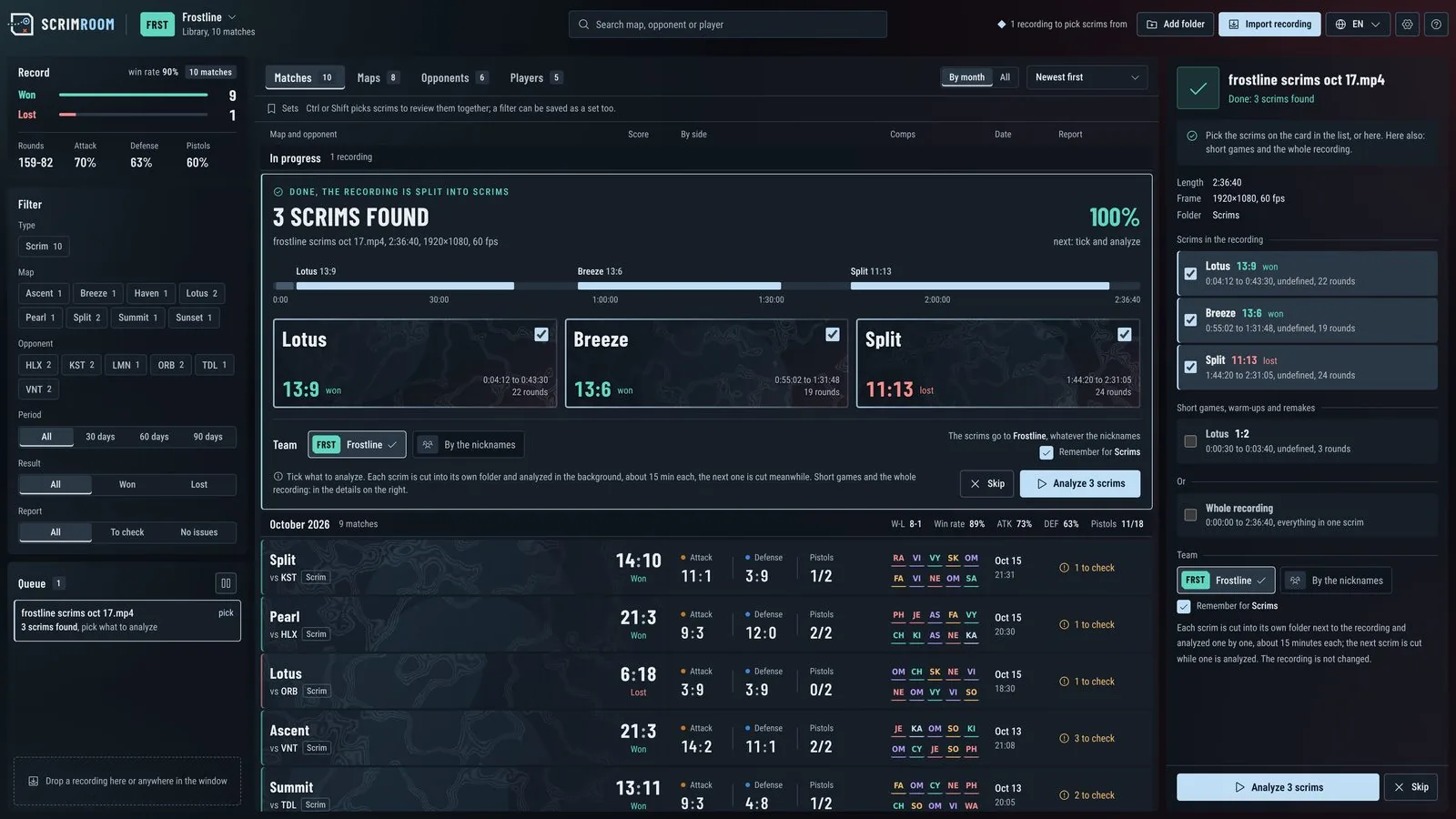
Three scrims found in one recording.
What the coach sees
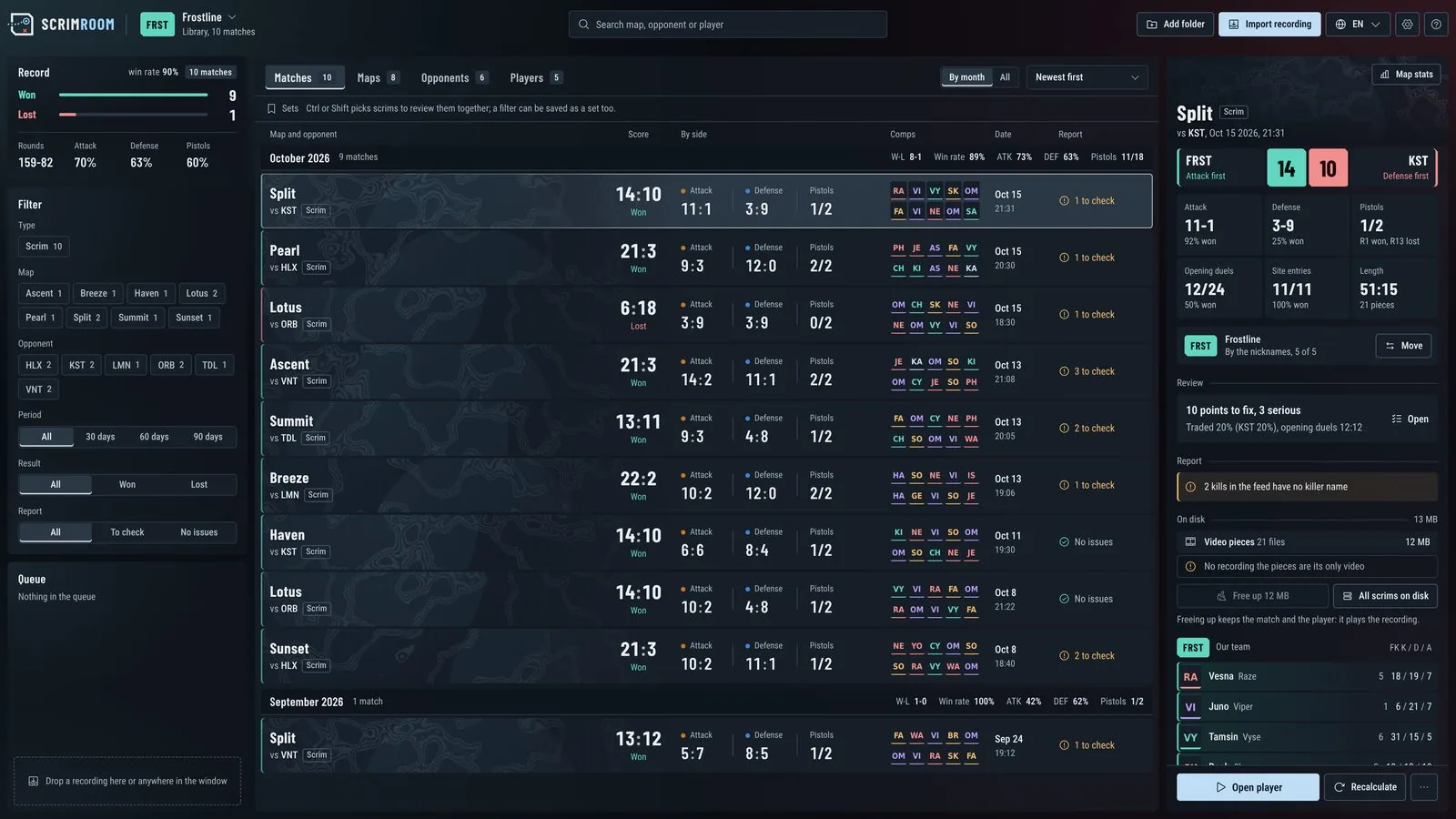
Library
Matches, maps, opponents, players, filters and sets.
Map and player
Points, deaths on the minimap, change from week to week.
Review
What to fix this week across many scrims. PDF in three languages.
Player
The recording from 3 s before the event, bookmarks, drawings.
Every map,
over time
Open a map to see where rounds are won and lost, and how the team changes over time.
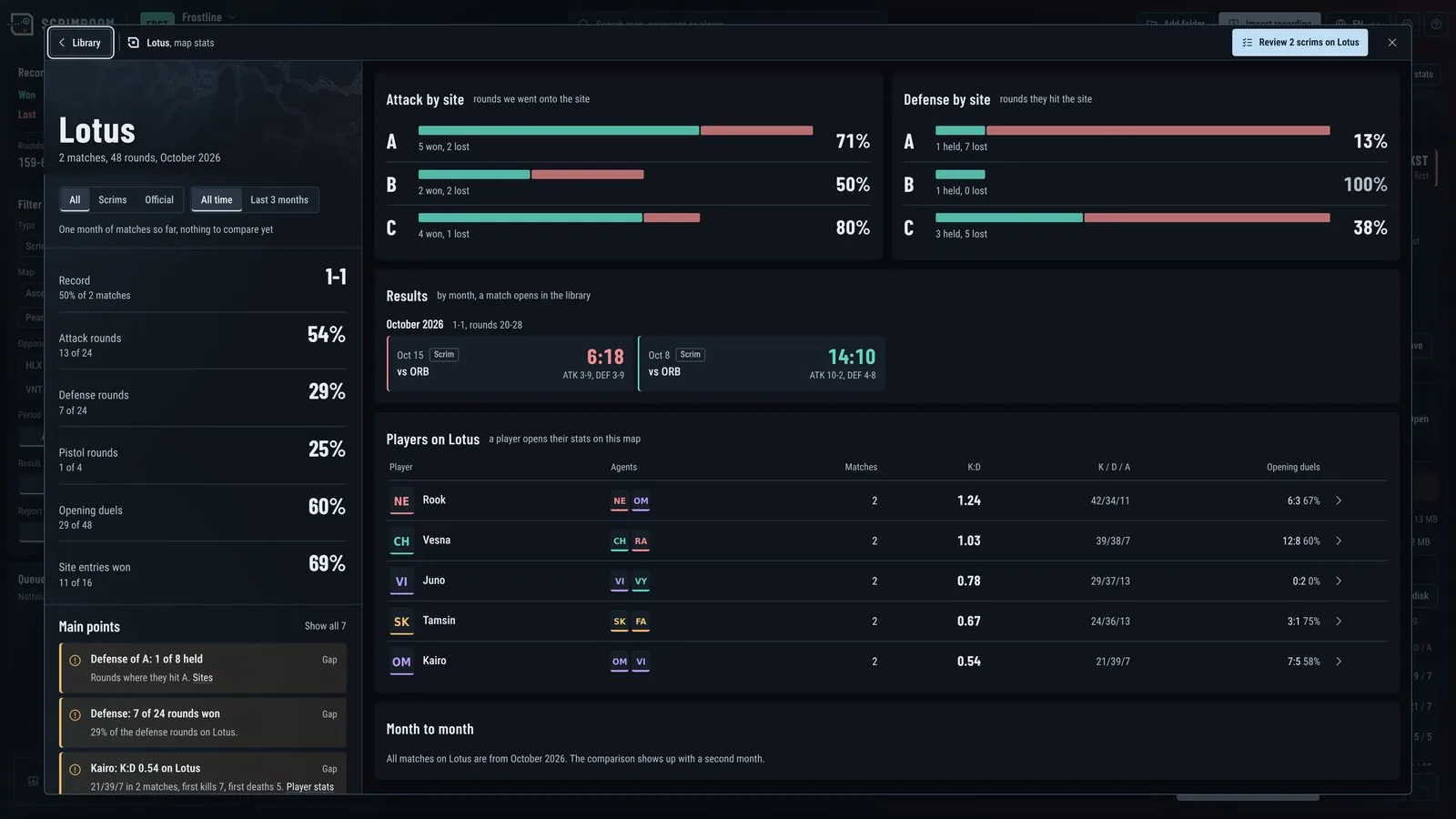
- Attack and defense by site, rounds won and lost
- Win rate, pistols, opening duels and site entries against an earlier period
- Every result on the map, one click away from the match
- Each player on the map: K:D, opening duels and how they change
One place for
the whole season
On your PC,
after the match
Your footage stays on your PC
ScrimRoom works offline. Recordings, stats and notes are never uploaded.
Built for the review after the match
ScrimRoom works only with recordings your team made, after the match is over.
- Doesn’t use the Riot API
- Shows nothing in the game
- Gives no advice during a match
- Windows
- 10 and 11
- Recordings
- 1080p or higher
- Languages
- English · 简体中文
Questions
coaches ask
How does ScrimRoom work?
A coach records a scrim in OBS as usual and drops the file into the app window. The app does the rest: it reads what a person sees on screen (score, timer, kill feed, TAB scoreboard, minimap) and builds the match data from it.
Why is it useful for a coach?
- One review per week instead of hours of scrubbing through every scrim
- Repeating patterns are visible: who dies untraded, which site keeps falling on defense, what changed over a month
- Every conclusion is backed by rounds you can show the team right away
- The export can be sent to players in their own language
What do I need to record?
An observer-view recording from OBS, 1080p or higher. ScrimRoom runs on Windows 10 and 11.
How long does analysis take?
About 15 minutes per scrim, in the background. You choose which matches from the recording to analyze.
Does my footage leave my PC?
No. ScrimRoom works offline. Recordings, stats and notes are never uploaded.
Does it use the Riot API or show anything in the game?
No. It works only with recordings your team made, shows nothing in the game and gives no advice during a match.
Which languages are supported?
The app is available in English and 简体中文. The weekly review exports as HTML and PDF in English, 简体 or 繁體.
How do I get access?
ScrimRoom is opening to a small group of teams. Send a request and tell us how your team records scrims.
Join the beta
We are opening ScrimRoom to a small group of teams. Tell us how your team records scrims and we will reply by email.
brezyyyy@gmail.com